Why was my product rejected?
Why was my product rejected?
To check why your product was rejected:
Log in to the Mirakl panel and from the left menu, select
Catalog Manager.In the
Filter bysection, expand theStatuslist and selectRejectedto display rejected products.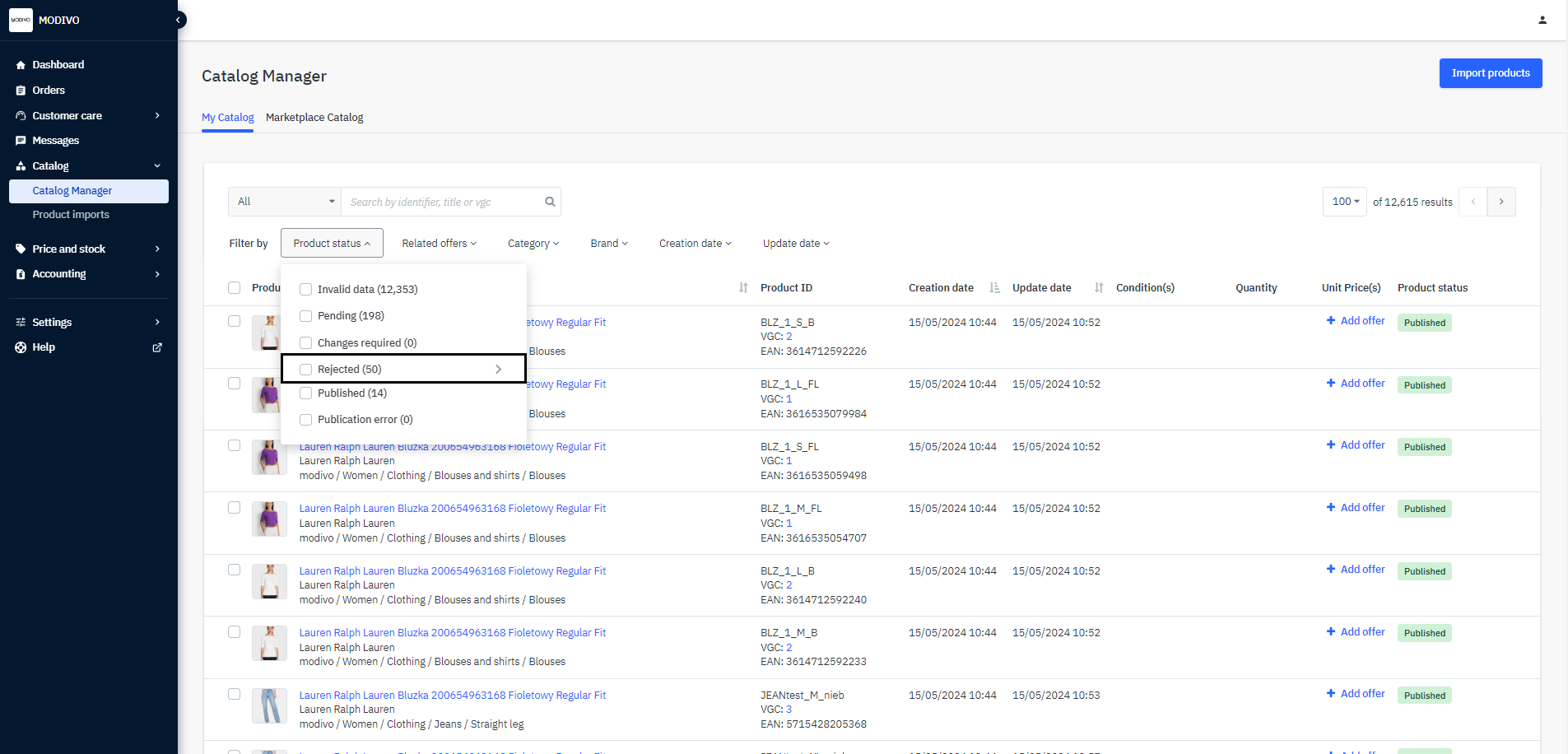
On the right side of the row for each product marked as
rejected, in theProduct Statuscolumn, you will find the reason why the product was not added to the site. To view the details or explanation of the status, hover over the question mark?icon.
Info
While filtering, you can immediately select products with a specific error and fix it directly in Mirakl or through your chosen integration method. See how to edit a product.
Below you will find a list of reasons for product rejection along with explanations:
| Rejection Reasons | Explanation |
|---|---|
| Size Change | Our system assigns products a unique SKU based on the product size. If you change the size of the product, it will break the synchronization between your listing and our systems, thus the product with the changed size will be automatically rejected |
| Incorrect Product | Status that always includes an additional comment containing the reason for rejection |
| Photos Do Not Meet Modivo Criteria | Check our requirements |
| Product Added to the Wrong Category | - |
| Incorrectly Added Model or Product Type | The name displayed on MODIVO is created from the product parameters, which allows us to verify its correctness |
| Product Incorrectly Grouped into Size Variants or Product Variants Not Grouped | When adding products, the variant group identifier parameter was incorrectly added. See how to correctly fill out this parameter |
| Single-sized product | We require adding products in a full size range. Any product that does not have the size universal/one size but has only one size variant will be blocked with this status. Example: A dress in a single size "L" will be rejected; A watch in the size "One size" will not be rejected. |
| Use of size unsiutable for the local market | The size used has been identified as non-compliant with local product standards. |
| Duplicate photo | While adding a product, the same image was used. Each parameter responsible for images should contain unique shots of the product based on our requirements. If you initially import 5 product images and remove one duplicated image - the change will not be reflected on the product page. If you replace one of the duplicated images with another - the change will be reflected on the product page. Note! Any product with duplicated images can be removed at your request. Check how to remove a product. |
Note!
In each integration method, product editing is available only by re-listing the product with the same EAN and SKU number, so the system can overwrite the previous data on the existing identifiers.