How to combine products by size?
How to combine products by size?
To combine products so that all their sizes are displayed as size variants on MODIVO as shown below:
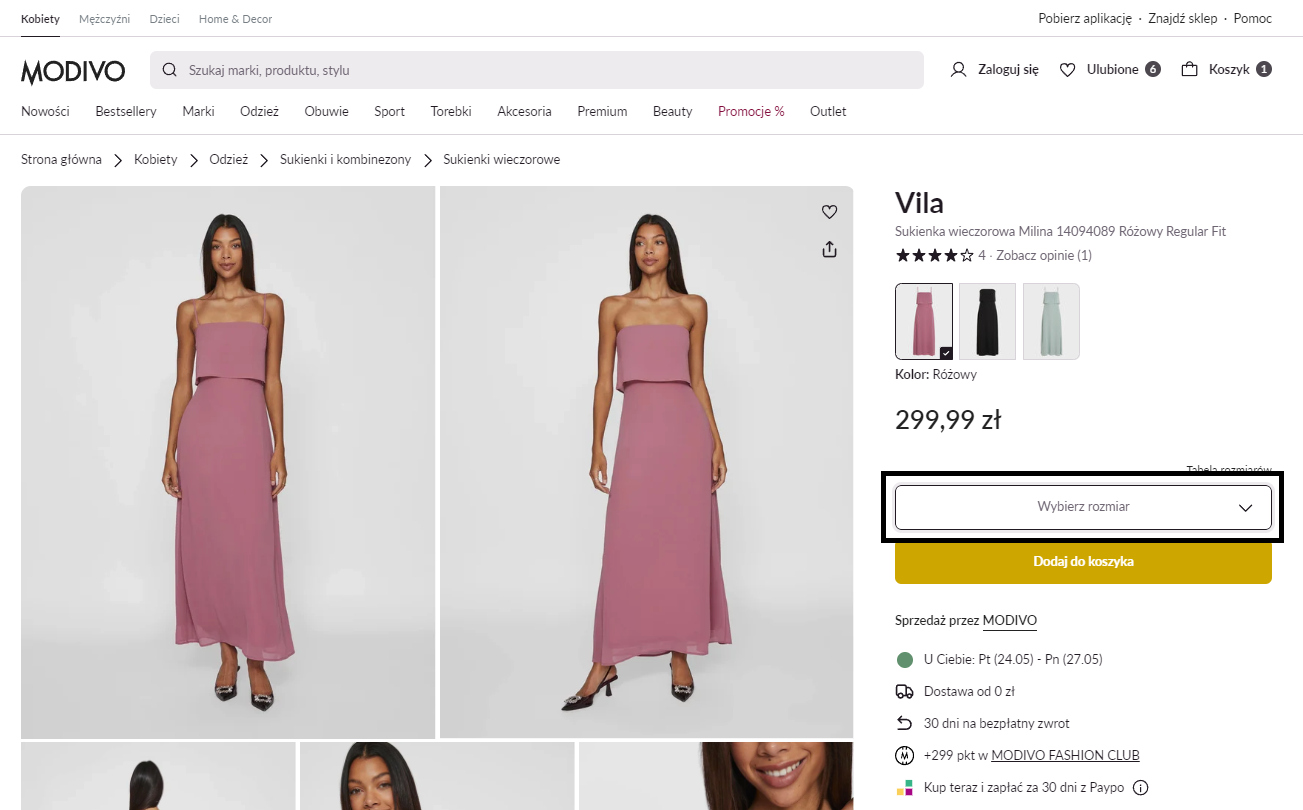
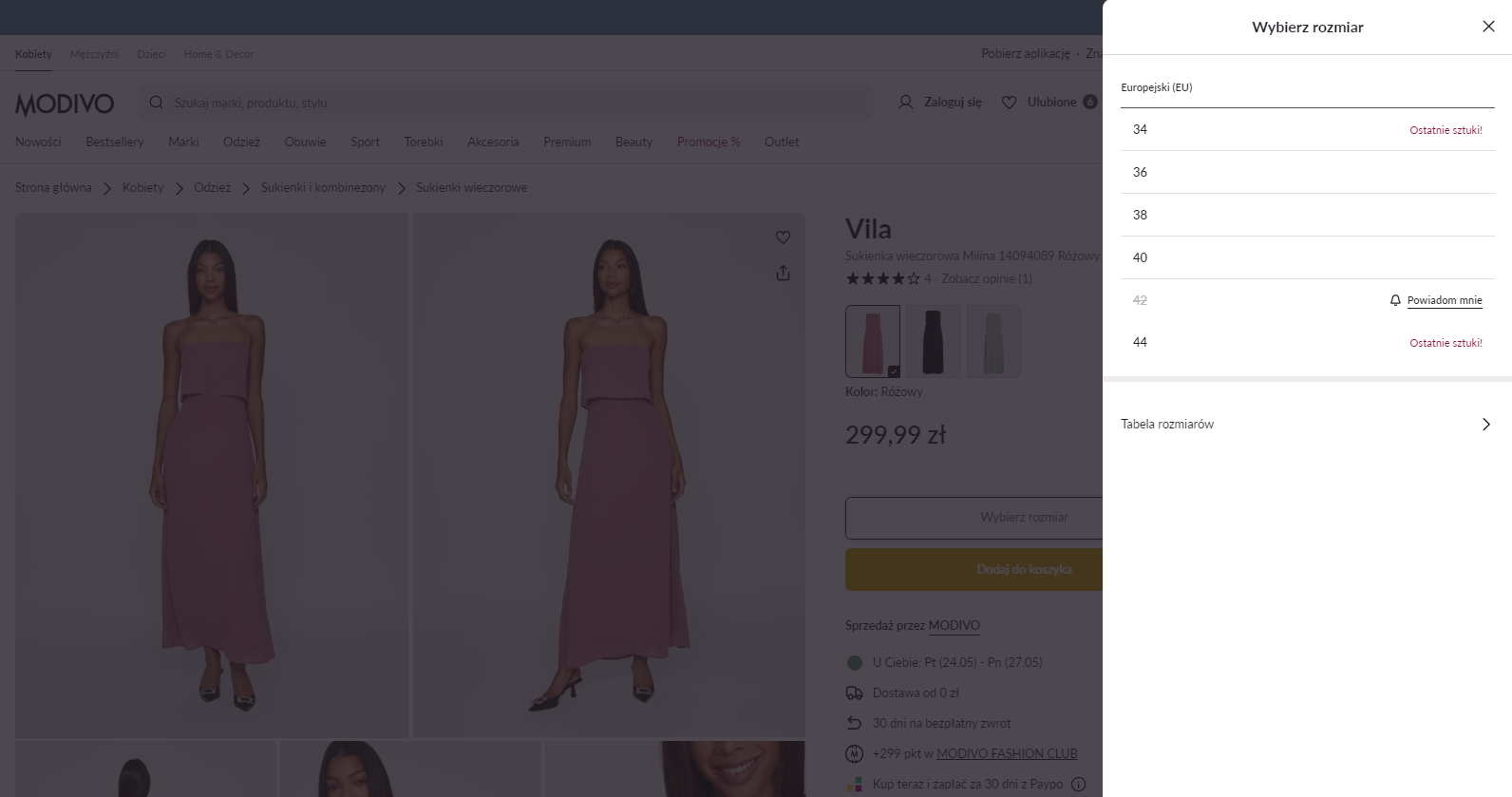
When creating the xlsx/csv file, find/add the Variant Group Code parameter and fill it with the same number or name. This way, products in different sizes will be grouped together and appear as a single offer with size variants on the main page.
Example 1:
| Product | Variant Group Code |
|---|---|
| Vila Milina Dress Pink XS | Vila Milina Dress Pink |
| Vila Milina Dress Pink S | Vila Milina Dress Pink |
| Vila Milina Dress Pink M | Vila Milina Dress Pink |
| Vila Milina Dress Pink L | Vila Milina Dress Pink |
| Vila Milina Dress Pink XL | Vila Milina Dress Pink |
Example 2:
| Product | Variant Group Code |
|---|---|
| Vila Milina Dress Black XS | Vila Milina Dress Black |
| Vila Milina Dress Black S | Vila Milina Dress Black |
| Vila Milina Dress Black M | Vila Milina Dress Black |
| Vila Milina Dress Black L | Vila Milina Dress Black |
| Vila Milina Dress Black XL | Vila Milina Dress Black |
Note!
In the file you generate, you must map the variant parameter to our Variant Group Code parameter during the structure mapping in the configuration wizard.