
How to list products/offers on other markets?
How to list products/offers on other markets?
Adding listings works the same for all markets. If you already have products available on the Polish market, generate a Ready to Import offer file from your existing listings and then change the price directly in the file to the price applicable in the specific country.
To add products to other markets:
Go to
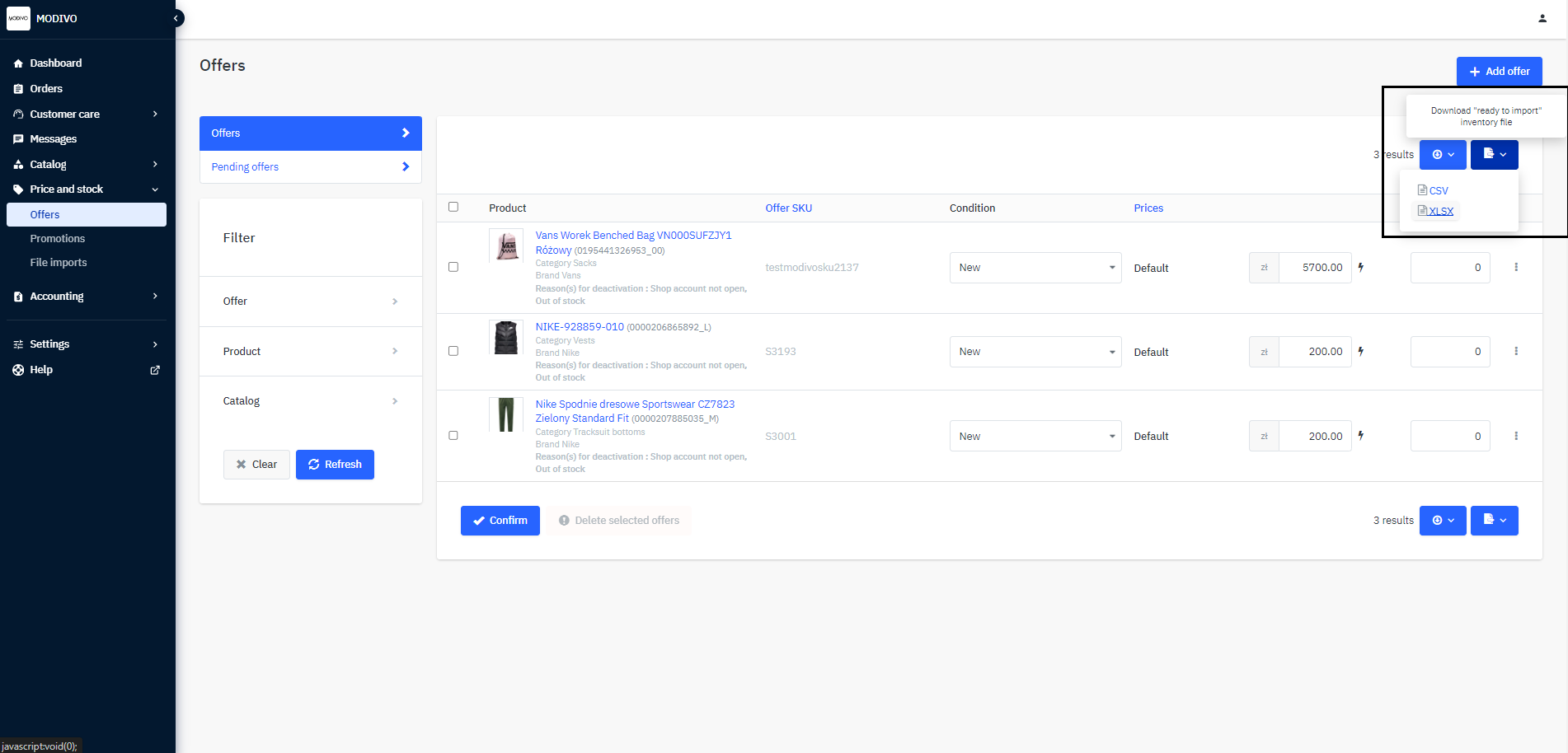
Price and Stock→Listings.In the upper right corner, click the document icon named
Inventory File “Ready to Import”.Select the
XLSXformat to start the automatic download of the file with all your listings.Remember to always download the file in XLSX format. A file with a different extension will not be read into the system!
In the downloaded file, find the
pricecolumn and update the price.
The
złsuffix in the file does not affect the final price on the site - the currency will be added directly to your account in the Mirakl system.Import the ready file into the account for which you want to add listings by going to the
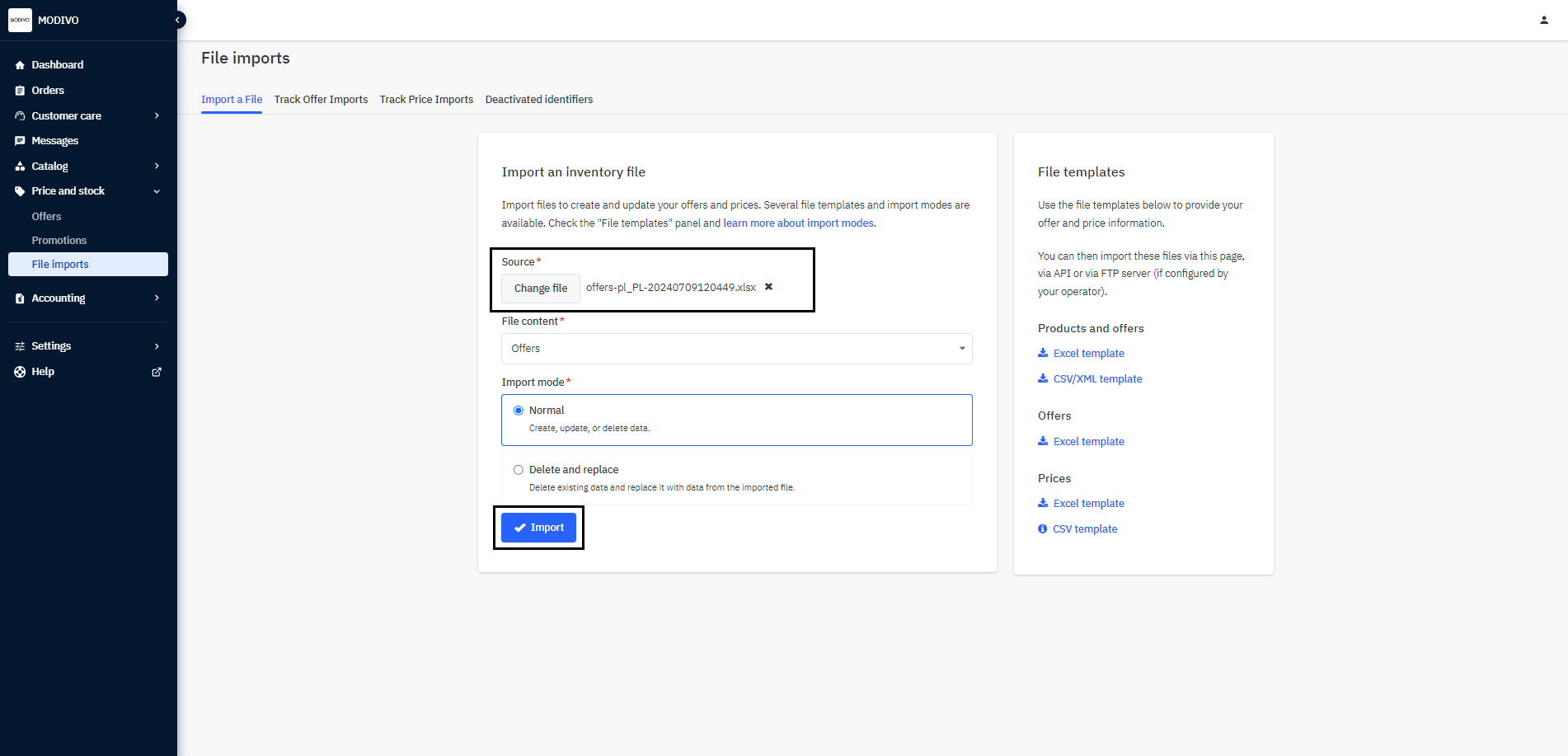
Price and Stock→File Importstab.In the
Import Stock File-Sourcesection, press theChoose Filebutton and select the file you want to import from your computer.At the bottom of the section, click the
Importbutton to import the file.
Caution
Import mode Normal will add the listings from the file to your account. Import mode Delete and Replace will remove all current listings available on the account and replace them with those in the imported file.