
How to bulk change offer prices?
How to bulk change offer prices?
To bulk change offer prices, log in to your seller account in the Mirakl panel and follow these steps:
Go to
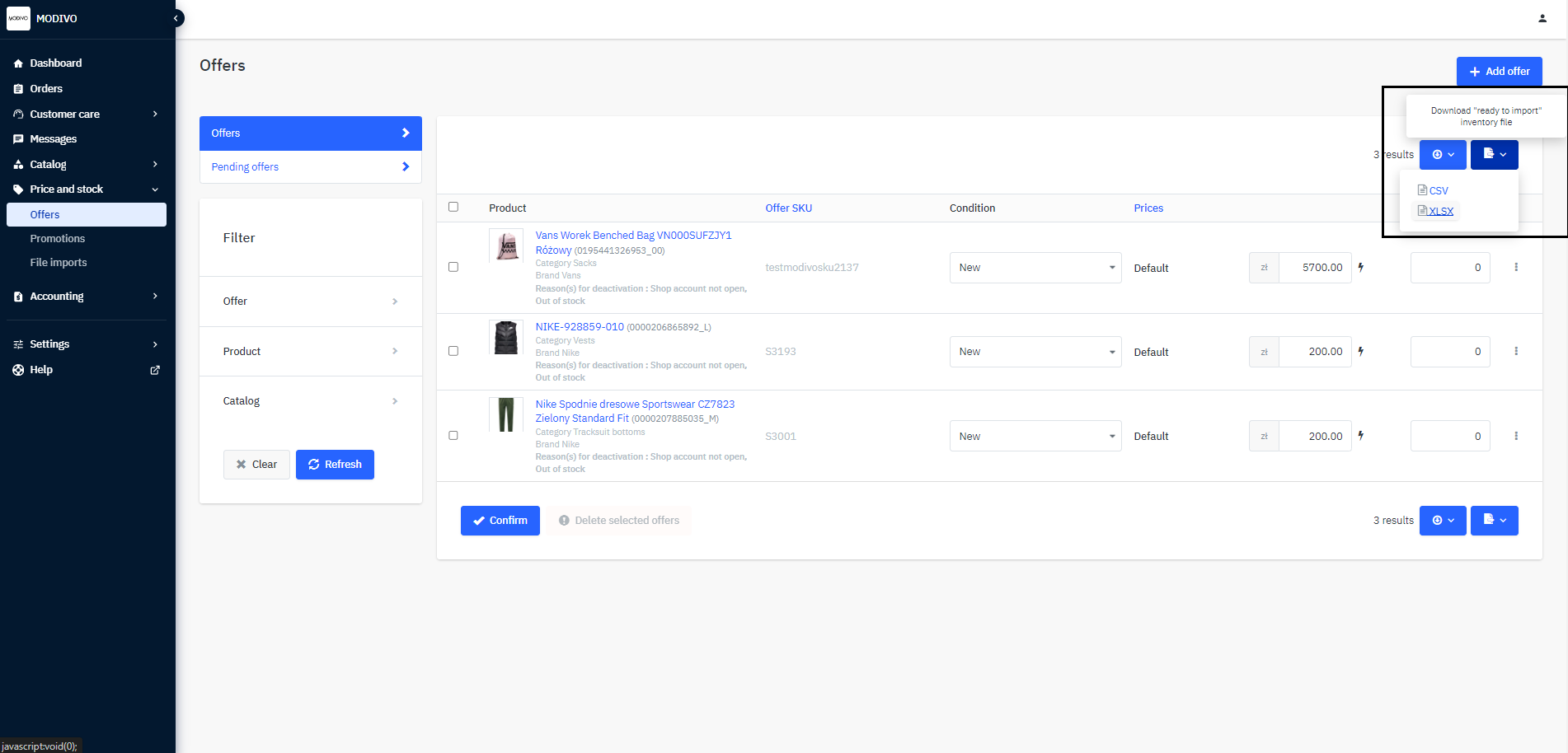
Price and Stock→Offers.In the upper right corner, click the document icon named
Inventory File “Ready for Import”.Choose the
XLSXformat to start downloading the file with all your offers.Remember to always download the file in XLSX format. Files with other extensions will not be imported into the system!
In the downloaded file, find the
pricecolumn and update the data.
Remember that the system will read the default currency for your account's sales market, regardless of the currency filled in the file.
After making changes, save the file. Do not change its format.
In the Mirakl seller panel, go to
Price and Stock, thenFile Imports.In the
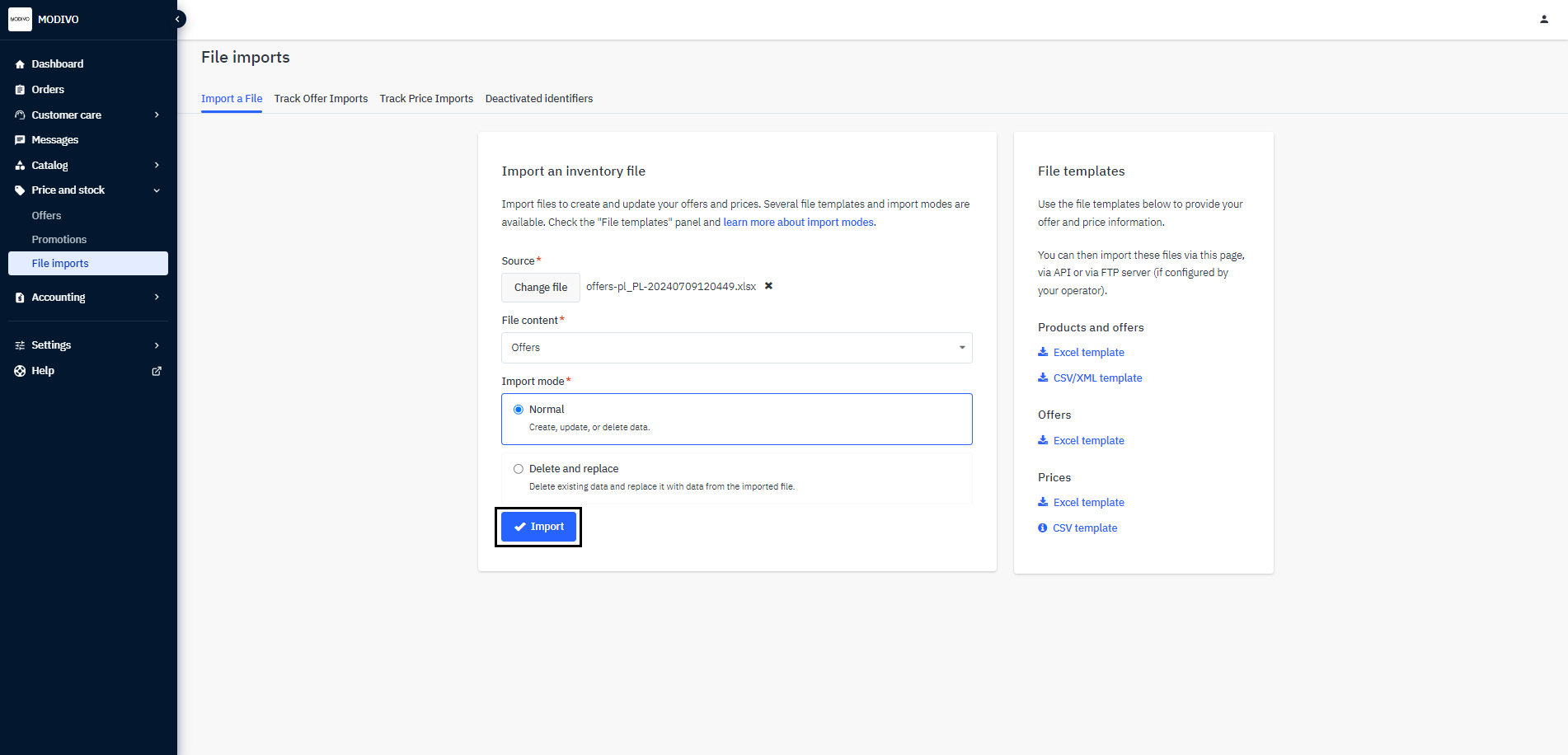
Product Filefield, select the edited file from your computer and set the following import options:- In the
File Contentsection, chooseOfferfrom the dropdown list. - In the
Import Modesection, selectNormal.
Note!
If you change the import mode to
Delete and Replace, all your offers will be deleted and replaced only with those available in the file.- In the
To import the file, click the
Importbutton at the bottom of the screen.
To check if the imported file contains errors:
From the left menu, select
Price and Stock→File Imports.Go to the
Monitor Offer Importstab.On the right side of the row for the file, in the
Errorscolumn, you can check how the import proceeded.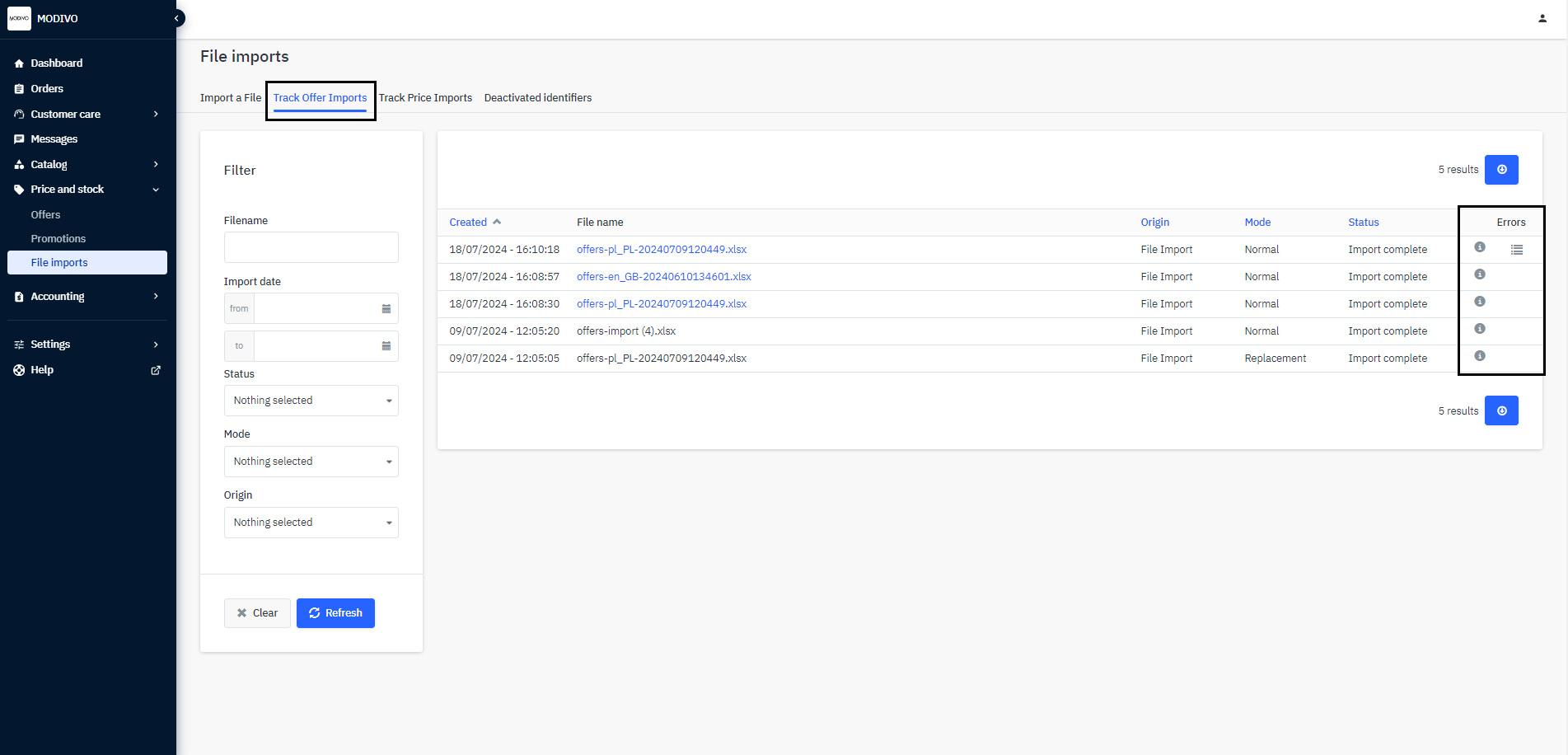
Hovering over the ⓘ icon will show you the details of the process. If errors occurred during the file import, you can download an error report. To do this, click the 𝄙 icon.
Correctly imported files will indicate that the number of rows processed matches the number of rows updated.
Incorrectly imported files will indicate which rows contain errors.
If an error occurs during import, review the file saved on your computer and ensure all data is correctly filled out according to the above instructions. Then re-import the file. If you do not import the corrected file, some or all products will not be updated with the new prices.