How to combine products by color?
How to combine products by color?
To combine products so that all their colors are displayed as color variants on MODIVO as shown below:
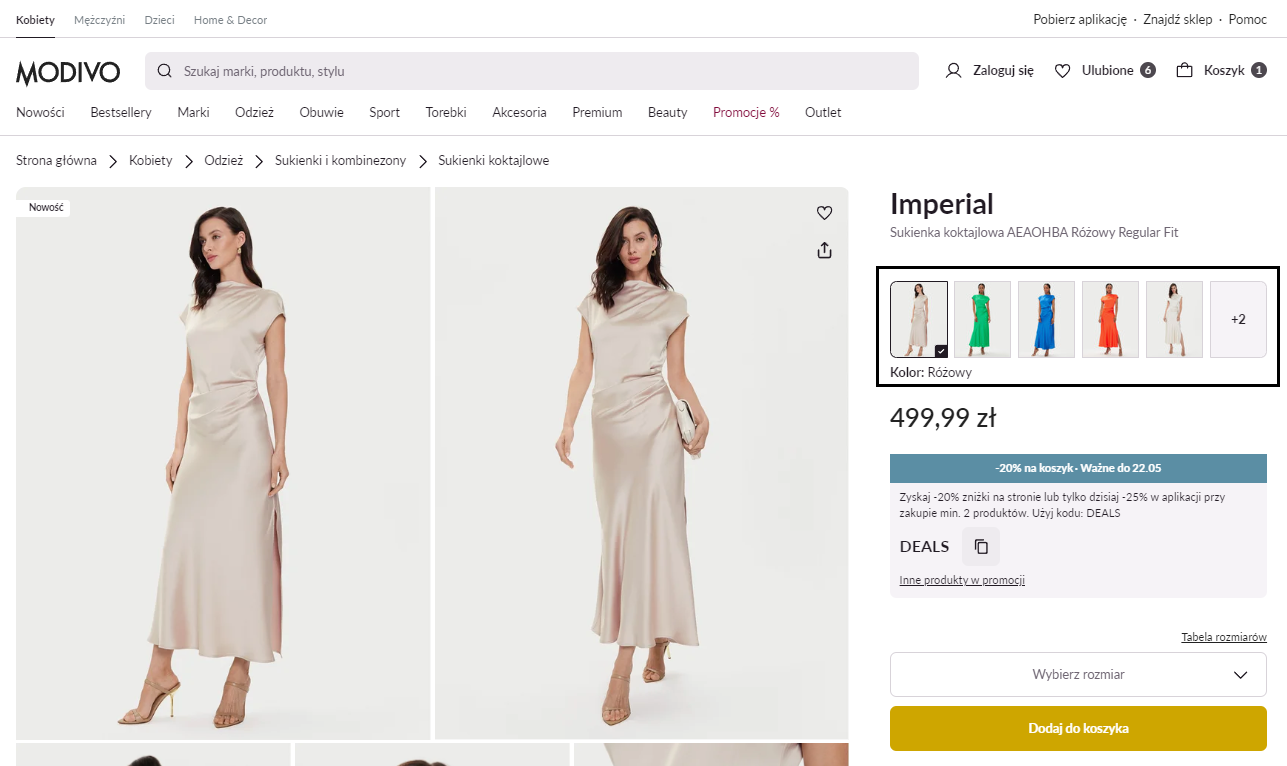
When creating the XML file, add the Grouping Parameter and fill it with the same number or name. This way, products in different colors will be considered part of the same group and will appear as a single offer with color variants on the main page.
Example:
| Product | Grouping Parameter |
|---|---|
| Dress Imperial AEAOHBA Pink | Dress AEAOHBA |
| Dress Imperial AEAOHBA Blue | Dress AEAOHBA |
| Dress Imperial AEAOHBA Green | Dress AEAOHBA |
| Dress Imperial AEAOHBA Red | Dress AEAOHBA |
| Dress Imperial AEAOHBA Beige | Dress AEAOHBA |
Info
Note! The name of the parameter in your file may differ. However, ensure that this parameter is correctly mapped to the grouping parameter available in our system during catalog mapping.